Using a VPN is one of the best ways to stay safe and private online. But sometimes, you may face a frustrating problem: your VPN won’t connect at all. Instead of protecting your data, you get stuck with error messages or endless loading.
So, why is your VPN not connecting? Let’s explore the most common reasons and how to fix them quickly.
Common Reasons a VPN Won’t Connect
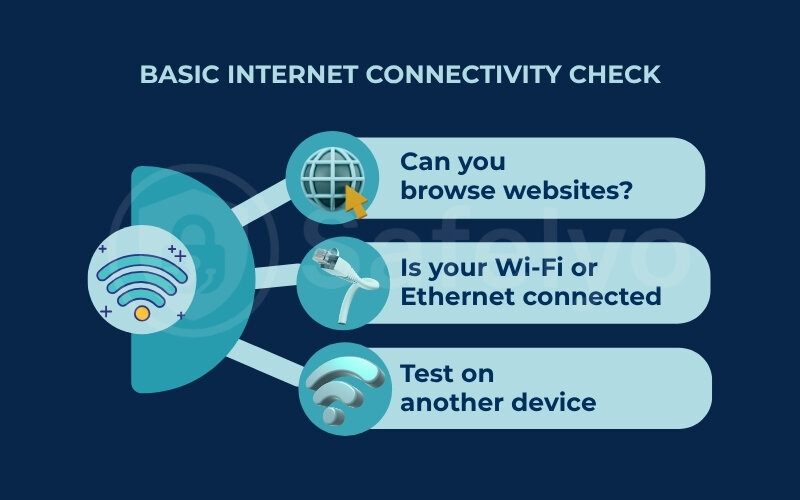
1. Internet Connection Issues
If your internet isn’t working properly, your VPN won’t connect. A weak or unstable Wi-Fi or mobile data signal often causes this problem.
2. Wrong Login Credentials
Entering the wrong username, password, or subscription details can prevent your VPN from connecting.
3. Outdated VPN App
Running an old version of your VPN app may lead to bugs or compatibility issues.
4. Server Problems
The VPN server you’re trying to connect to might be down or overloaded.
5. Firewall or Antivirus Blocking
Some security software can interfere with VPN traffic, preventing successful connections.
6. Protocol Conflicts
Certain VPN protocols may not work well on your network, especially if your ISP restricts them.
7. ISP or Network Restrictions
In some regions, ISPs or network administrators actively block VPN usage.
How to Fix VPN Connection Problems
- Check your internet – Ensure Wi-Fi or data is working properly before connecting.
- Verify login details – Double-check your username and password.
- Update your VPN app – Install the latest version for stability and fixes.
- Switch servers – Try connecting to a different location.
- Change VPN protocol – Use WireGuard, IKEv2, or OpenVPN depending on what works best.
- Whitelist VPN in firewall/antivirus – Stop them from blocking your VPN connection.
- Restart your device/router – A fresh reboot often solves connection issues.
- Contact support – If all else fails, your VPN provider can assist.
Final Thoughts
If your VPN is not connecting, it’s usually due to unstable internet, outdated apps, server issues, or firewall restrictions. The good news is that most problems are easy to fix with simple troubleshooting steps.
By keeping your VPN app updated and choosing a reliable VPN provider, you can enjoy a smooth, secure, and private online experience without interruptions.

.jpg)



.png)